

Share This Article
Hello there, wonderful human! I am Cache, your resident tech cat, and whenever my human companions sit down to build a brand new site, I love curling up right next to their warm keyboard to watch the magic happen. Launching a fresh WordPress site is an exciting milestone, but an out-of-the-box installation only provides the core skeleton, and staring at an empty dashboard while sorting through over 60,000 extensions can make anyone feel lost in the woods or worry about spending thousands on fancy software.
The honest truth is that you do not need to spend a single penny, nor do you want to slow down your server with unnecessary bloat. Today, I am walking you through the 9 essential free WordPress plugins you need to install immediately in 2026. These picks cover the non-negotiable pillars of web development—search engine optimization, rock-solid security, lightning-fast caching, automated cloud backups, and smooth visitor communication—to make your website fast, safe, and ready to welcome thousands of happy visitors.
Why Choosing the Right Free Plugins Matters
Think of your fresh WordPress installation as an adorable, empty cardboard box. It has sturdy walls and great potential, but it needs the right cozy blankets and fun toys inside to make it the perfect home. Plugins are little helper tools that give your website extra superpowers without asking you to touch a single line of scary code.
Every plugin you turn on uses a tiny bit of server energy. If you download dozens of random add-ons all at once, your site gets weighed down like a cat who ate too many treats. As much as I love a slow afternoon nap, your online visitors definitely will not wait around for a slow, sluggish page to load.
By picking only the most reliable and essential free WordPress plugins, you keep your web server running light, smooth, and nimble. The right mix gives you top-tier features while keeping your visitors happy and engaged.
1. Rank Math SEO: Your Smart Search Engine Guide
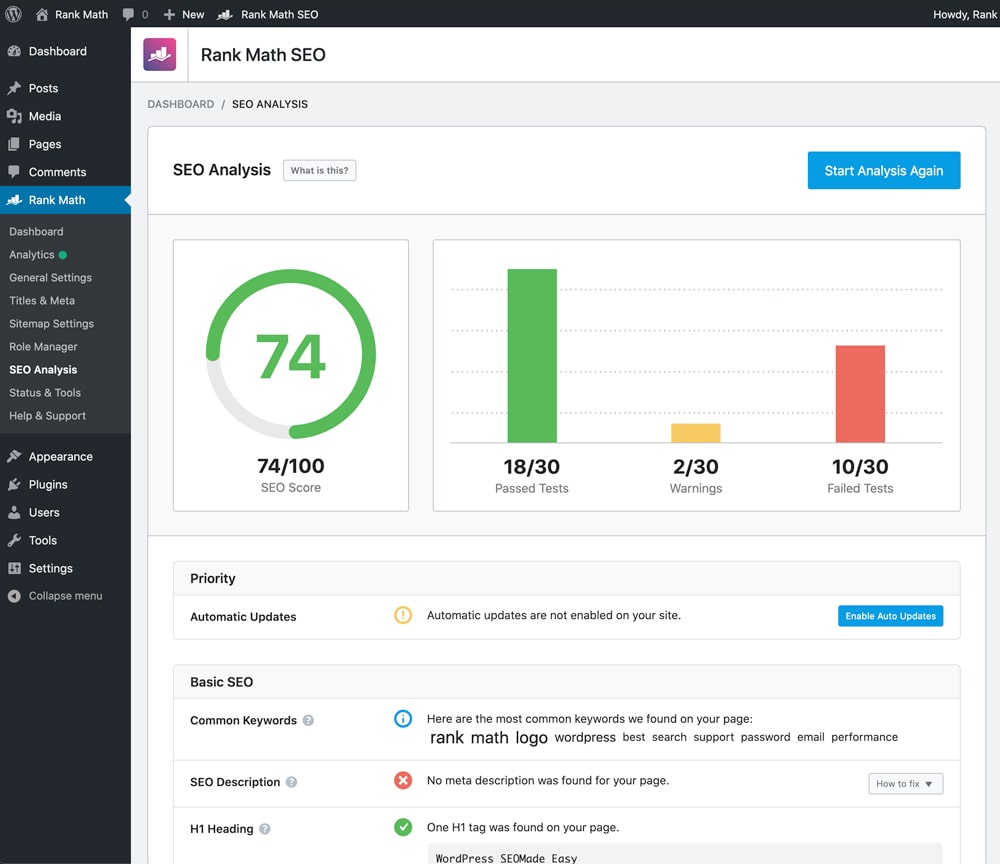
When you write a brilliant article, you want readers all over the world to discover it. Search engine optimization is simply the art of leaving a tidy trail of digital breadcrumbs so Google knows exactly what your pages are all about.
Rank Math SEO is my favorite helper among all essential free WordPress plugins for search optimization because it acts like a gentle, super-smart editor sitting right beside your screen.

As you type inside the WordPress editor, Rank Math gives your post a real-time score with easy-to-follow tips. It gently reminds you where to place your main keywords, makes sure your sentences flow smoothly, and sets up your title tags.
It also builds clean XML sitemaps automatically. A sitemap is like a handy little treasure map that guides search bots across all your pages. While older SEO plugins keep their best tools behind expensive paywalls, Rank Math gives you rich schema snippets and redirect helpers 100% free, making it one of the absolute best must have plugins for WordPress.
2. Wordfence Security: Your Digital Guard at the Front Door
The internet is a bustling neighborhood, and automated bots are constantly wandering around trying to rattle doorknobs and test weak passwords. Keeping your digital home locked and protected from day one is super important, which is why security tools rank so high among essential free WordPress plugins.
Wordfence Security acts like an alert digital guard stationed right at your front gate, keeping sharp watch day and night to keep bad traffic away.
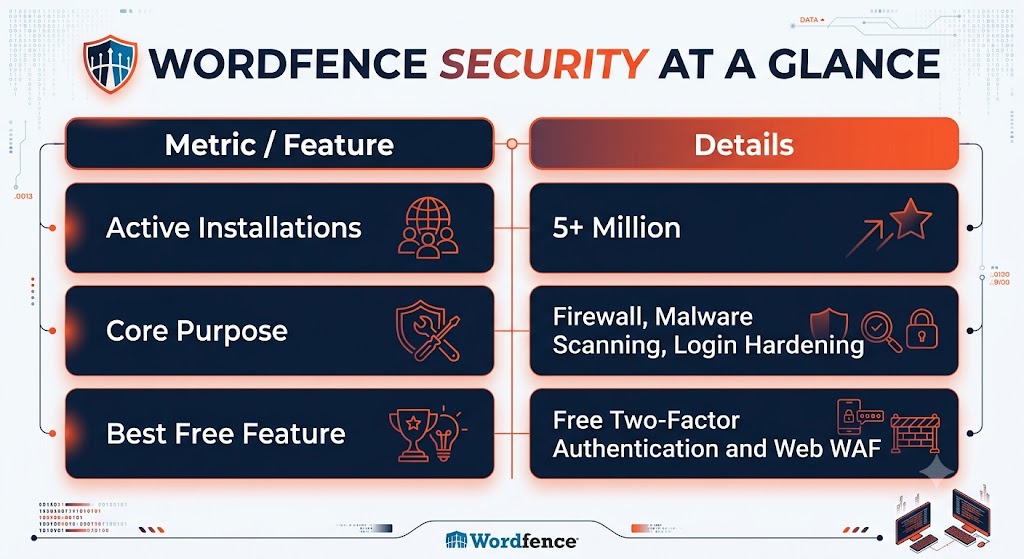
Wordfence runs directly inside your WordPress site, which means it inspects every visitor before harmful scripts can touch your files. Its built-in scanner regularly checks your core files, themes, and plugins to make sure nothing fishy is hiding in the dark.
My absolute favorite feature is the free Two-Factor Authentication. Even if an automated bot somehow guesses your secret password, it cannot step inside without the temporary code on your phone. That lets you sleep peacefully without worrying about surprise intruders!
3. LiteSpeed Cache: Zooming-Fast Page Speeds
Have you ever tapped a link on your phone and waited what felt like forever for the page to show up? You probably gave up and went somewhere else. Human visitors love speed, and search engines reward websites that load in the blink of an eye.
LiteSpeed Cache is a true standout in the world of essential free WordPress plugins for performance. If your web host runs on LiteSpeed servers, this tool works pure magic. If your site lives on Apache or NGINX servers, WP Super Cache is an equally reliable, lightweight twin.
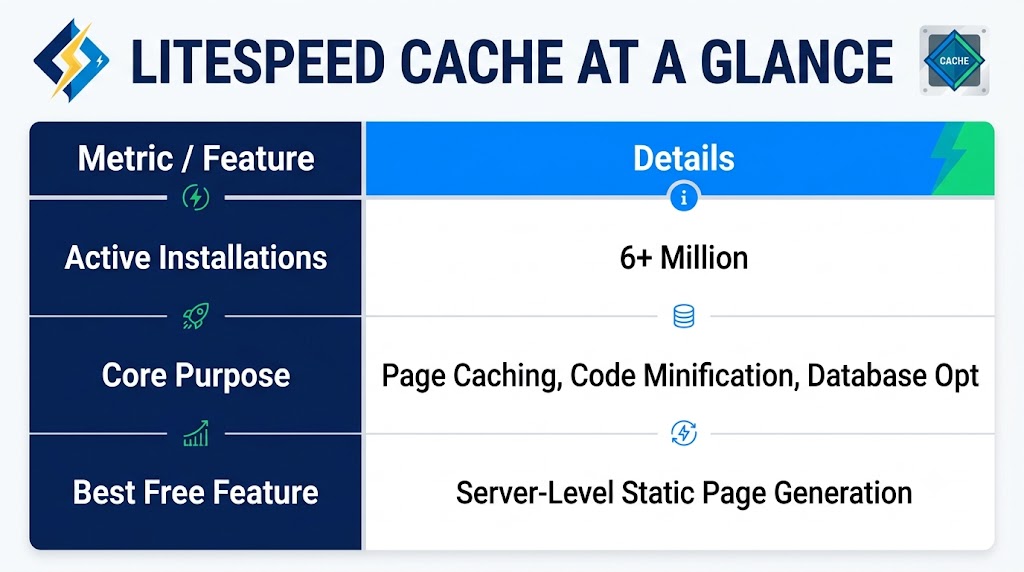
Every time a reader visits your website, your server normally has to assemble all the pieces from scratch. Caching saves a pre-made snapshot of that page. When the next visitor knocks, the plugin hands them that snapshot instantly.
LiteSpeed Cache also cleans up dusty database leftovers like old draft revisions and shrinks your code files so they travel faster across the web. Making your site speedy keeps visitors smiling and boosts your search rankings at the exact same time.
4. UpdraftPlus: The Ultimate Cloud Safety Net
Picture this scary thought: you click update on a theme, a surprise server hiccup occurs, and suddenly your whole screen goes blank! Without a recent copy saved safely away, weeks of hard work could vanish into thin air. That is why backup tools are considered non-negotiable essential free WordPress plugins.
UpdraftPlus is the ultimate peace-of-mind insurance policy. It makes creating a complete backup of your website as easy as clicking a single button.
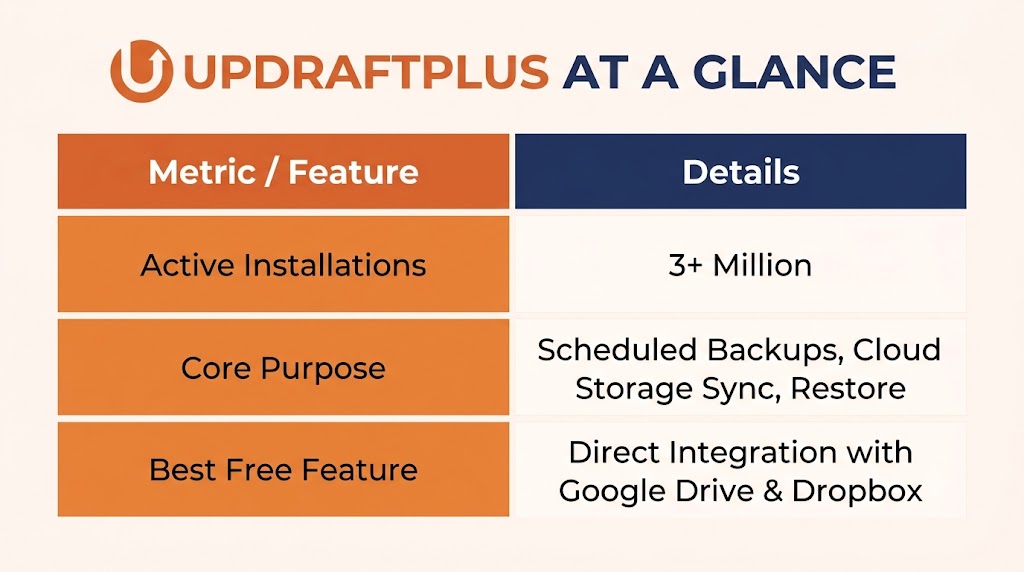
Instead of keeping backups on the same hosting server where your site lives, UpdraftPlus sends your files straight to safe cloud storage like Google Drive, Dropbox, or Amazon S3.
You can put it on a friendly automatic schedule, like backing up your database every evening and your media files once a week. If anything ever goes sideways, simply hop into your dashboard, click your latest clean snapshot, and hit restore. Within minutes, your site is back on its feet, good as new!
5. WPForms Lite: The Friendly Welcome Mat
Every great website needs an easy, inviting way for readers, clients, or new friends to get in touch. Leaving a plain email address on a public page is an open invitation for spam bots to fill your inbox with junk.
WPForms Lite is one of the most practical essential free WordPress plugins because it lets you create clean, professional contact forms in just a couple of minutes.
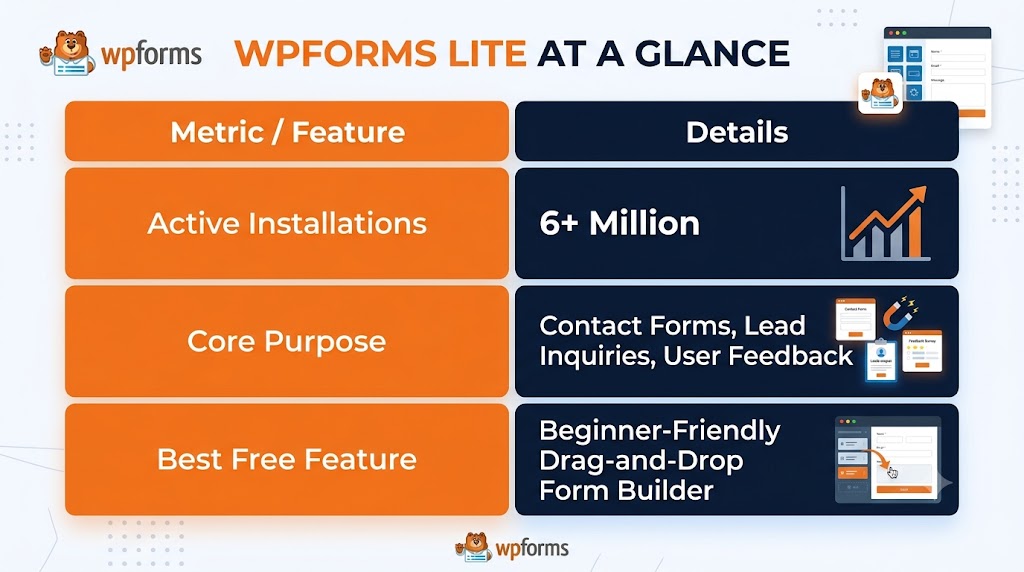
You do not need any coding skills at all. Its drag-and-drop editor lets you grab standard fields like name, email, and message boxes and place them right on the page. Everything is pre-built to look gorgeous on desktop monitors, tablets, and mobile phones alike.
WPForms Lite also includes built-in anti-spam shields like Google reCAPTCHA and Cloudflare Turnstile. These quiet helpers shoo away bot spam behind the scenes, ensuring only genuine messages from real people arrive in your inbox.
6. Smush: Effortless Image Compression
High-resolution pictures make your blog posts pop with color, but giant image files are the number one culprit behind slow, lagging websites. Photos taken straight from a phone camera are often huge, which takes way too long to download on mobile networks.
Smush is one of those essential free WordPress plugins that works quietly in the background to keep your media library skinny, fast, and visually crisp.
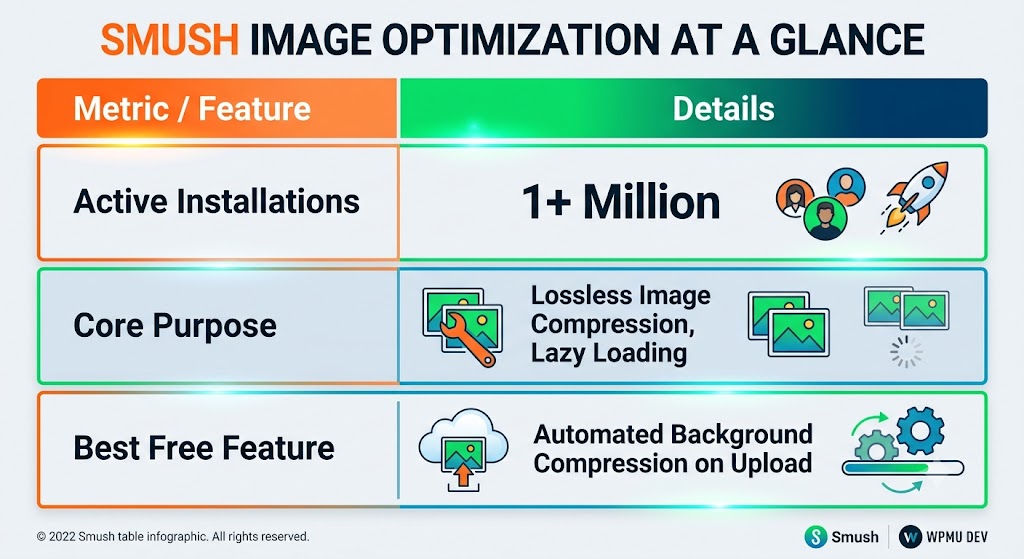
Whenever you upload a new photo, Smush strips out invisible hidden data, compresses the file size, and scales oversized dimensions without hurting image quality. Your pictures stay sharp and vibrant to human eyes while loading in a tiny fraction of the time.
Smush also comes with native lazy loading, which tells web browsers to only load pictures as the reader scrolls down to them. This saves data for your visitors and keeps page scrolling silky smooth.
7. Google Site Kit: Clear Analytics on Your Dashboard
Once your site is up and running, you will naturally want to know how many people are stopping by, which articles they love most, and what keywords brought them to your door.
Google Site Kit easily claims its spot among essential free WordPress plugins by bringing all your vital traffic stats together in one official, first-party tool.
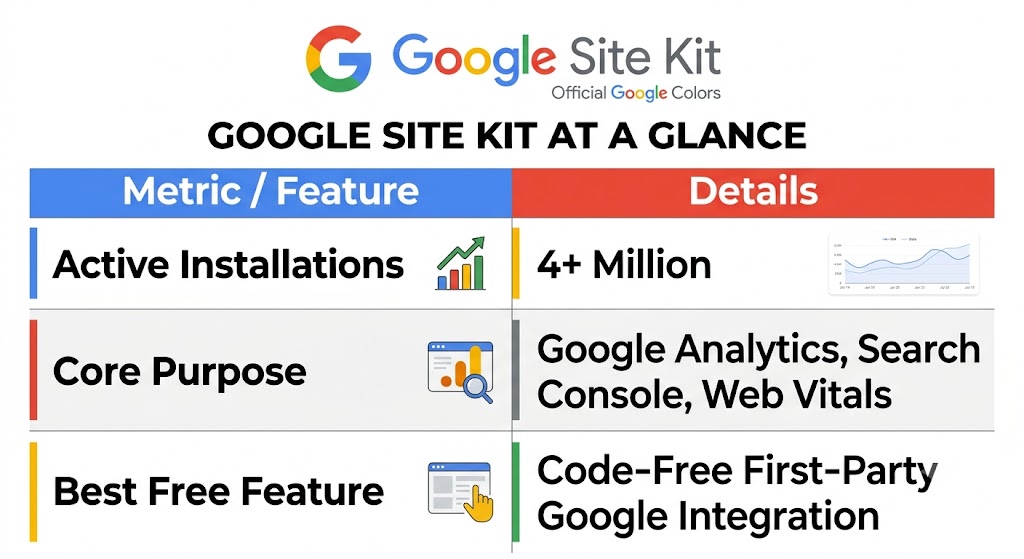
Setting up analytics used to mean pasting confusing tracking codes into header files. For beginners, that was tricky and stressful.
With Site Kit, you simply sign in with your Google account and follow a couple of clicks. It connects Google Analytics, Search Console, and PageSpeed Insights directly to your WordPress dashboard. You can check your daily visitors, monitor your top search terms, and track page speed without ever opening another browser tab.
Opening up your comment section is a wonderful way to chat with your audience and build a loyal community. But as your site starts getting noticed, spam bots will try to dump silly ads and untrustworthy links into your comments.
Akismet Anti-Spam is another cornerstone on our list of essential free WordPress plugins, created by Automattic (the lovely folks behind WordPress) to keep your discussion threads tidy and spam-free.
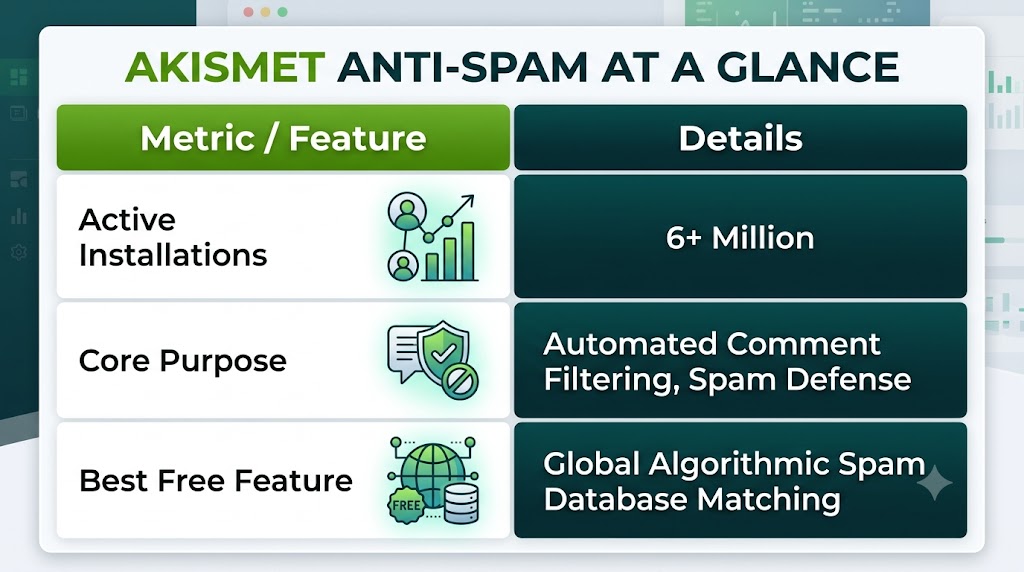
Akismet checks every submitted comment against a giant global spam database before it ever lands in your moderation queue. Suspicious comments get swept away automatically so you do not have to spend hours sorting out junk mail by hand.
This protects your readers from clicking shady links, keeps your website looking polished, and saves you heaps of time every single week.
9. Redirection: Simple Fixes for Broken Links
As your website grows, you will eventually want to rename a blog post, organize categories, or delete old pages. But if someone clicks an old link from a bookmark or social post, they will hit an annoying 404 page-not-found error screen.
Redirection rounds out our toolkit of essential free WordPress plugins by making sure your visitors never get lost in a digital dead-end.
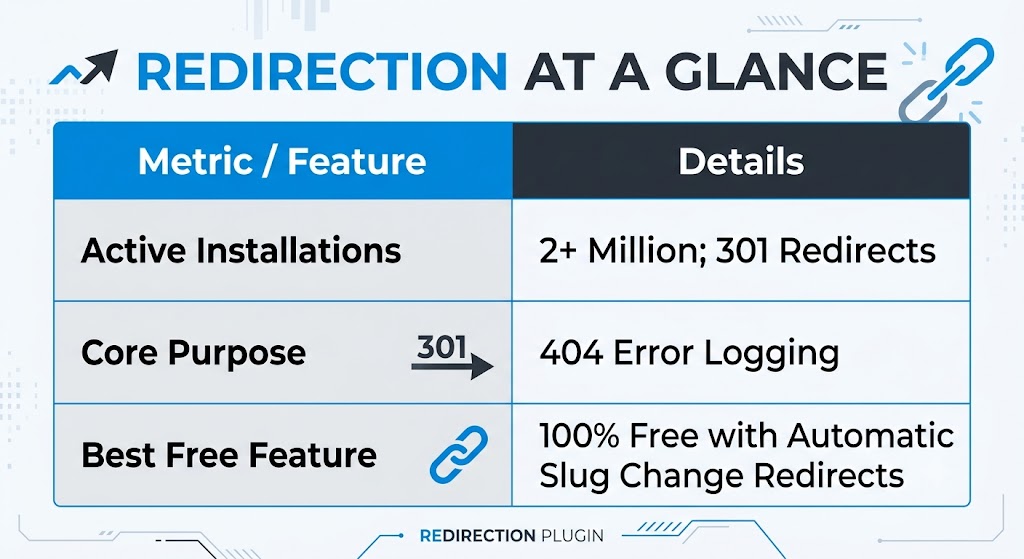
Whenever you tweak the URL of an existing post, Redirection spots the change and builds a permanent redirect automatically. Any visitor or search engine crawler heading for the old address gets guided straight to the fresh page.
It also logs any 404 errors that pop up across your site, letting you spot and fix broken links with a quick tap. Best of all, it is completely free with no sneaky upsells or annoying banner ads.
Quick Summary of Your 9 Essential Plugins
Here is a handy snapshot of how all nine essential free WordPress plugins work together to keep your site humming like a happy cat:
| Plugin Name | Primary Role | Key Benefit |
|---|---|---|
| Rank Math SEO | Search Visibility | Guides your content to rank |
| Wordfence | Website Security | Blocks malware and bad logins |
| LiteSpeed Cache | Speed Optimization | Delivers fast static pages |
| UpdraftPlus | Backup & Recovery | Saves your work to the cloud |
| WPForms Lite | Visitor Contact | Easy drag-and-drop forms |
| Smush | Image Compression | Compresses large media files |
| Google Site Kit | Traffic Analytics | Displays Google metrics simply |
| Akismet | Spam Protection | Filters out bot comments |
| Redirection | Link Maintenance | Fixes broken links and 404s |
Cache’s Golden Rules for Managing Essential Free WordPress Plugins
Before you rush off to install your new tools, here are three golden rules from your tech kitty to keep your site running smooth:
- Avoid Duplicate Tools: Never run two plugins that do the exact same job. Running two caching tools or two security firewalls at the same time causes software fights, slows down your server, and can break your pages.
- Keep Things Updated: Developers release regular updates to make their code faster and patch security holes. Make it a habit to log in once a week and tap the update buttons on all your essential free WordPress plugins.
- Delete What You Do Not Use: If you try a plugin and do not need it, do not just deactivate it—delete it completely from your server to keep things clean and safe.
Final Thoughts from Cache
Building a website is an amazing journey, and you definitely do not need an expensive budget or a computer degree to make something wonderful.
By starting with these 9 essential free WordPress plugins, you give your website top-tier security, zooming page speeds, crystal-clear SEO guidance, and a safe cloud backup right from the start.
Take it one little step at a time. Hop over to your dashboard, get your new tools set up, and watch your website transform into a fast, safe, high-ranking powerhouse. You have got this, my friend! Happy building!
Frequently Asked Questions
Will adding these essential free WordPress plugins slow down my website?
Not at all! Every plugin on this list is built with clean, modern code. In fact, performance tools like LiteSpeed Cache and Smush will make your site load noticeably faster than a blank site with heavy, uncompressed pictures.
Can I run a successful website using only essential free WordPress plugins?
Yes, 100%! Millions of popular blogs, portfolio sites, and thriving business pages run entirely on free WordPress plugins. You only need to think about paid upgrades if you need niche, specialized features down the road.
How do I install these essential free WordPress plugins on my site?
It takes just a few seconds. Head over to your WordPress admin dashboard, click Plugins on the left menu, and choose Add New Plugin. Type the plugin name into the search bar, click Install Now, and hit Activate once it finishes.
It takes just a few seconds. Head over to your WordPress admin dashboard, click Plugins on the left menu, and choose Add New Plugin. Type the plugin name into the search bar, click Install Now, and hit Activate once it finishes.